
ChemDoodle 2D
2D Chemical Drawing, Publishing and Informatics
for Windows, macOS and Linux
Click the play button to watch an introduction video

Looking to create 3D graphics for molecules and chemistry?
Check out ChemDoodle 3D →↓

Professional Quality, Affordable Prices
Trusted by thousands of institutions in over 100 countries
Main Features
ChemDoodle 2D contains thousands of chemistry features, helping you produce the highest quality graphics and saving you hours of work.
- 2D Graphics

The best graphics in chemistry
- Pixel Perfect
We spend a very long time scrutinizing the graphics output in ChemDoodle. The software automatically orients bonds in the correct directions, merges bond strokes together, places attributes in the best locations and automatically makes smart decisions that lead to the most beautiful and appealing images. Of course, you can always override the software to your preference.
- Fully Customizable
Every component of the graphic is fully customizable. Whether you are looking to control bond widths, arrowhead sizes or shape transparency and color; you are in control.
- 24 Bond Types
Represent chemical structures with the widest range of chemical bonds avialable in any software tool. From standard integer bonds, to specialty bonds like ionic and covalent, you can accurately depict any structure. All of the bonds orient themselves and merge together for the most aesthetic graphics.
- Bond Stroke Merging
In other programs, you will see disconnects where bonds meet, or a heavy reliance on rounded bond ends. In ChemDoodle, all of the bonds merge together for the most aestheic figures.
- Advanced Labels
Formatted atom labels allow you to clearly represent chemical entities as text and create concise, professional graphics.
- Full Unicode Support
Any characters supported by your fonts are available over the entire unicode range. Quick access to chemically relevant symbols is provided through the Symbols widget.
- Atomic Notations
ChemDoodle is the only chemical drawing tool to contain superscript and subscript merge formatting in text fields to easily create atomic notations and other chemical text.
- Attributes
Render charges, radicals and electrons, dipole moments, asterisks, tags and custom attributes on your structures, with full control over how they render.
- Orbitals
Atomic and molecular orbital graphics are easily added to figures. These are completely customizable just like the rest of ChemDoodle, so you can control color, stroke styling, fill type and more!
- Highlights
Easily highlight parts of your structures for emphasis and attention.
- Lewis Dot Structures
ChemDoodle provides you with all the tools to build perfect figures of Lewis Dot Structures. Draw them yourself, or have ChemDoodle automatically create the Lewis Dot Structures for you!
- Perspective Structures
Easily create 3D effects in figures by using protruding and bold bonds. ChemDoodle will automatically merge their strokes for an optimal appearance. Bonds in the foreground will buffer intersecting bonds in the background.
- Stroke Styling
Choose from 7 different stroke styles to add a bit of character to your figures (Basic, Bristle, Brush, Charcoal, Scribble, Slant, Wobble). Perfect for use in group meetings and in presentations.
- Shapes
Draw rectangles, ovals, arcs, lines, brackets, Bézier curves, rulers, and more. And of course, all of the shapes are fully stylable.
- Tables
Tables are very powerful shapes for creating organized groupings of content in grid patterns. You can control the table grid and its formatting as well as the content that appears within each table cell and cell formatting. Tables can be drawn in several styles and are defined and controlled by an intuitive anchor box set that provides instant feedback for edits you may want to perform. Rowspans, colspans, padding and alignment are supported. Tables can be fit to contained content. This is a great way of creating really attractive and informative figures of data.
- TLC Plates
Draw thin layer chromatography plates using the TLC Canvas widget.
- Drawing

A powerful interface to quickly complete your work
- Intuitive Controls
ChemDoodle’s drawing controls are made to clearly model the atoms and bonds they manage. Copious visual feedback is provided. There are also many options for customizing the drawing tools to your preference, including for accessibility concerns.
- Measured Drawings
ChemDoodle will help guide your drawing to create the most aesthetic figures using a feature we call the "Optimize Zone" for standard bond angles and lengths. Just move your mouse out of the zone to override it.
- Chemical Labels
In addition to the standard elemental labels, you can input any custom label you desire. ChemDoodle will automatically chemically interpret and format labels. You can also directly control text formatting. Labels can be expanded to full atom models and full atom models can be automatically collapsed into concise labels based on your abbreviation library or to a custom label.
- Condensed Labels
Abbreviations and compound labels like "COOH" and "Ph", as well as formulae can be expanded to quickly build and work with complex chemical structures. You can define your own custom abbreviations to be used in ChemDoodle.
- Custom Element Color Sets
In addition to the predefined Jmol, Rasmol, PyMOL and CDK color sets, you can also manually define your own elemntal color set to apply to molecule rendering.
- Automatic Atom/Bond Tagging
If you need to tag atoms or bonds by increments, ChemDoodle provides powerful tools to do this. Simply click on the atom or bond to tag them and the next tag is automatically incremented. Tag by alphabet, number, roman numeral or greek letter.
- Auto-layout of Attributes
ChemDoodle will automatically place your charges, radicals, stereocenter labels and other attributes for you in an aesthetic manner. You can override these decisions at any time by holding down and dragging the mouse during placement.
- Bond Z-ordering
Several methods are available to control the z-ordering of bonds, or how they layer on top of each other when overlaps occur. Easy to use context-menu options are provided for quick control. ChemDoodle also includes an advanced algorithm to automatically layer bonds for you based on the assigned wedges within a drawn structure.
- Arbitrary Ring and Crown Ethers
In addition to standard ring tools and templates, ChemDoodle provides special arbitrary ring and crown ether tools for quickly building advanced ring systems.
- Templates
Quickly build structures using our built-in template libraries, or create your own templates. The Templates widget organizes the templates for you.
- Carbon Nanotube Builders
Several tools are provided to help you quickly build complex 3D geometries, including carbon nanotube and prism builders. Armchair, zigzag and chiral nanotubes can be built. Use the Rotate in 3D tool to change the 3D perspective of the drawn structure.
- Structure Cleaning
Complex algorithms have been implemented to automatically lay out chemical structures aesthetically. Select only part of a structure to clean only that part, leaving the remaining structure untouched.
- Database Lookup
Search databases (PubChem, ChemSpider, ChemExper) for chemical structures and drag them right into your document using the MolGrabber widget.
- and so much more...
There are so many tools in ChemDoodle for working with chemical graphics, including alignment and distribution functions, bond adjustment features, action tracking, transforms and more.
- Cheminformatics

Chemical intelligence essential to every chemist
- Implicit Hydrogens
Implicit hydrogens will be added for you to your drawings. You have the ability to turn them off for single atoms, globally or override them as appropriate.
- Bond Deduction
Automatically detect bonds in chemical files that do not contain bond data. Commonly, molecule data files do not include any bond information. Files including PDB, XYZ and output from quantum mechanics programs do not officially store bond data. Instead of having to draw bonds by hand, ChemDoodle contains tools for deducing covalent bonds based on just the atom elements and coordinates alone. ChemDoodle can even assign bond orders to those bonds based on several algorithms, including "All Single", Antechamber and Auto-UFF.
- Ring Perception
Calculate and depict ring systems in your structures, including the Smallest Set of Smallest Rings (SSSR), the Euler Facet Ring Set, and the Hanser Ring Set.
- Aromaticity
Detect the aromaticity and anti-aromaticity of your rings and display the number of pi electron contributors. You can also force aromatic ring recognition using all resonance bonds. Tools are available to switch your figures between Kekulé, delocalized and circle forms.
- Kekulization
Automatically produce a Kekulé structure will alternating single and double bonds from a single bond skeleton or any resonance system. This is useful when dealing with large, embedded, aromatic ring systems.
- Repeat Units
Repeat units (aka repeat groups or repeating brackets) are used to define linearly repeating substructures in molecules. A repeat unit consists of a pair of square brackets denoting the substructure to be repeated and a repeat value defining how many times the substructure is repeated. Most conveniently, when properly defined in chemical structures in ChemDoodle, repeat units are automatically recognized, evaluated and expanded so you can quickly draw complex structures and perform cheminformatics tasks such as calculating molecular masses and formulas. This is very convenient for oligomers and polymers.
- 3D Coordinate Generation
Generate 3D coordinates for your drawn structures using a template method or Universal Force Field (UFF) optimization.
- Descriptors
Calculate dozens of descriptors for structures, including masses, formulae, volumes, physical properties, topological indexes, counts, bioactivity filters and more.
- Elemental Analysis
Use the Elemental Analysis widget to calculate molecular masses, elemental analysis and isotopic distributions for structures as you draw them. Isotopes, radicals and charges are supported. Select entire complexes to calculate bulk properties.
- Chemical Warnings
ChemDoodle will double check your work for you and notify you when it finds chemistry issues, such as overvalanced atoms, incorrectly drawn stereocenters, or partially intersecting repeat units.
- Elemental Database
ChemDoodle contains an entire elemental database. Most of the calculations performed by ChemDoodle use this data. The data is kept relevant and referenced and includes many elemental properties such as electronegativites, radii, thermodynamic properties, years of discovery and more. Databases of ionization energies and isotopes are also provided. You may view this data at any time in the View menu.
- Periodic Table
A fully interactive periodic table is provided for visualization and reference. You can even customize it and print it out!
- SciFinder Integration
Initiate CAS SciFindern queries and gain access to a history of chemical information right from ChemDoodle. Draw your query in ChemDoodle and search SciFindern by Substances, Suppliers, Reactions or References. A SciFindern account is required.
- Google Patents Integration
Google Patents searching is integrated. You may perform structure, substructure and similarity searching into the Google Patents and non-patent literature databases at Google using structures drawn in ChemDoodle.
- References
All of the resources we use to develop the algorithms in ChemDoodle or the choices we make for the software are documented in the Help menu. This way you can evaluate the quality of our work.
- IUPAC Naming
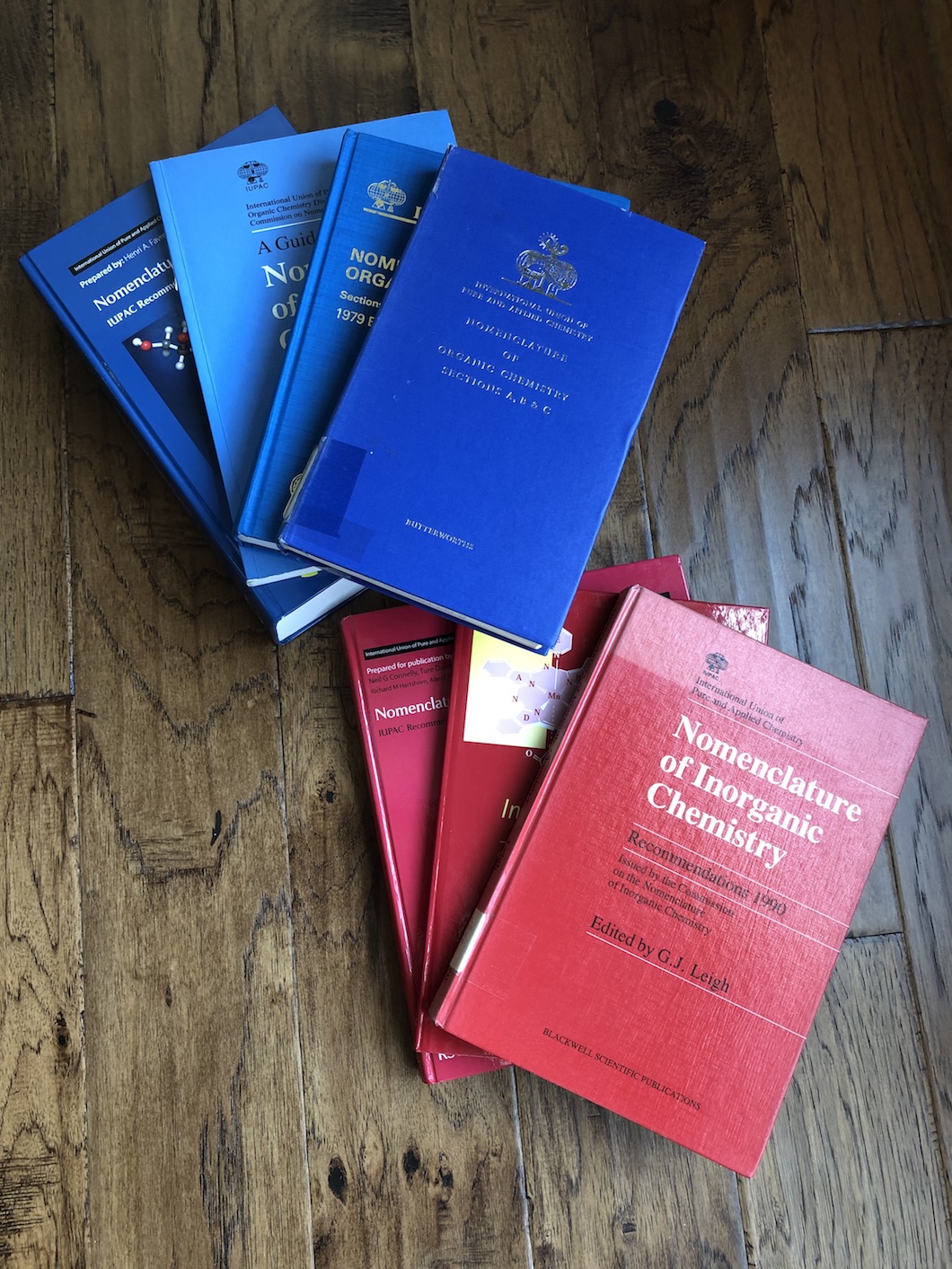
Industry leading IUPAC naming algorithms
Accurate Language
Our algorithms name molecules naturally and accurately, down to the character and formatting. Please see chapter 14 of the user guide for a thorough explanation. If you find any problems, simply contact us with the structure so we can correct it.
Broad Scope
The entire history of the IUPAC nomenclature specification is used in our development. The entire periodic table is supported. Both customizable traditional IUPAC names and Attempted Preferred IUPAC Names (PINs) are generated.
Customization
Define over 40 options for customizing how traditional names are created, or to switch between various IUPAC rules.
Auto-updating Labels
Display IUPAC names for your structures that automatically update as you draw them. You can even display IUPAC locants on your structures to help with descriptions.
Name to Structure
IUPAC names can be parsed into structure representations as well.
- Stereochemistry

Let ChemDoodle do all the hard work for you
- Advanced Geometry Perception
ChemDoodle will automatically detect and understand the 3D geometric features drawn in your document. Tetrahedral centers, alkenes and other isolated double bond systems, allenes and both odd and even numbered cumulenes, and atropisomers are all expertly handled.
- IUPAC Evaluation
The IUPAC specification is a very thorough and complex ruleset for properly conveying 3D geometric features in a 2D chemical drawing. ChemDoodle uses the IUPAC specification for interpretation of geometric features by default, and will always modify or output 2D figures to satisfy IUPAC rules, if possible, when using the features of the software.
Brecher, J. Graphical Representation of Stereochemical configuration. Pure Appl. Chem. 2006, 78, 1897-1970. - MDL/BIOVIA Evaluation
As an alternative to the IUPAC rules, the MDL/BIOVIA specification is implemented as an option in ChemDoodle for more relaxed and less stringent interpretation of 3D geometries in 2D chemical drawings.
CHEMICAL REPRESENTATION; Dassault Systèmes: San Diego, CA, 2018. - Projections
Stereochemical projections will be automatically recognized and stereochemical features will be analyzed. Fischer, Haworth and chair projections are supported.
- Input/Ouput
If you have or need files that contain stereochemical information, ChemDoodle is the perfect tool for you. ChemDoodle automatically handles stereochemical information in and out of popular chemical file formats, like MDL CTfiles, SMILES, ChemDraw, InChI and more.
- Best-in-class CIP Algorithm
The CIP rules have long been the standard for describing configurations of stereochemical features in a molecule. While flawed, they have seen many revisions over the decades and were clarified by the work of Paulina Mata. These rules were adopted by IUPAC for naming standards and fully described in the Blue books. The most recent CIP rules from IUPAC were then algorithmically analyzed and standarized by Hanson et al. to remove any ambiguities and describe a completely consistent system for CIP assignments.
ChemDoodle implements all 6 current CIP rules as well as auxilliary desciptors and mancude ring support. Stereochemical features in your structures will be assigned "R", "S", "E", "Z", "M" and "P" descriptors. The CIP algorithm in ChemDoodle is validated against the test suite provided by Hanson et. al. and is 100% accurate in all 300 test cases provided.
Hanson, R. M.; Musacchio, S.; Mayfield, J. W.; Vainio, M. J.; Yerin, A.; Redkin, D. Algorithmic Analysis of Cahn−Ingold−Prelog Rules of Stereochemistry: Proposals for Revised Rules and a Guide for Machine Implementation. J. Chem. Inf. Model. 2018, 58, 1755-1765. - Pseudo-asymmetric Stereochemical Features
Pseudo-asymmetric stereochemical features in your structure are also resolved by our CIP engine, including meso centers. These will be assigned the lowercase "r", "s", "e", "z", "m" and "p" descriptors.
- Cis/Trans Double Bonds
The less systematic "cis" and "trans" stereochemistry descriptors can also be assigned for double bonds in unambiguous cases.
- Automatically Resolve Stereochemical Configurations
ChemDoodle will assign all of the stereochemical configurations in your drawn structures with a single menu click.
- Force Stereochemical Configurations
If you do not want to draw the stereochemistry in your structures, ChemDoodle will do it for you, if necessary and possible. Just tell it which configuration to apply for a given stereochemical feature.
- Warnings
ChemDoodle will check your stereochemical drawings for you to make sure they are compliant with the IUPAC and MDL/BIOVIA specifications. ChemDoodle will also let you know when stereochemical information is not ideal, such as when wedges are drawn on a center that is not a stereocenter, or if a potential stereocenter does not have a configuration specified.
- Enhanced Stereochemistry
When you draw a stereochemical configuration for a chiral center in ChemDoodle, it is recognized by the software exactly as drawn, being one of two enantiomers. In certain cases, you may wish to define a current chiral center as one configuration or the other (or), or as a mixture of both (and). This can be defined using the enhanced stereochemistry features in ChemDoodle. You may then output this information into several file formats for use by compatible registration and search engines.
- Reactions

Reaction tools make for fast graphics and immediate results
- Arrows
Arrows are essential in chemical graphics for many reasons, the most important being for reaction and mechanism diagrams. Arrows are so important that, in ChemDoodle 2D, they have their own unique toolbar palette. These tools allow you to quickly draw various types of arrows, both straight and in arcs. Special arrow type templates are also provided, such as bold, equilibrium and retrosynthetic arrows. Other types of paths, such as polylines and bezier curves can also be used for arrows.
- Electron Pushing
ChemDoodle 2D provides unique tools to automatically render single electron, electron pair and bond forming pushing arrows based on an starting and ending atom or bond. Quickly create advanced mechanism drawings.
- Styling
Arrows and arrowheads are completely customizable, just like everything else in ChemDoodle 2D. Change sizes, fills, colors and more. You may also change the arrow stroke to create a wavy photon arrow, or include a no go slash or cross.
- Reaction Definitions
You can manually define reactants and products, or have ChemDoodle 2D automatically infer reaction components based on their locations around an arrow.
- Synthesis and Retrosynthesis Tools
ChemDoodle 2D contains convenient tools for building reactions based on bond breaking and formation. Simply drag the tool over the desired bonds and the appropriate reactions will automatically be generated for you.
- Automatic Layout
Reactions can be automatically laid out for you, to achieve the most aesthetic figures. Reactions that are very wide will be stacked appropriately.
- Atom-to-atom mapping
Quickly define atom-to-atom mappings for your reactions, and ChemDoodle will help check your work. Input and output of reaction atom-to-atom mapping is fully supported in ChemDoodle Documents, ChemDoodle JSON, ChemDraw CDX and CDXML, SMILES, and MDL RXN files.
- Balancing
Complete reactions can be balanced by ChemDoodle 2D, either when drawn using structures and arrows, or typed as a reaction equation. ChemDoodle 2D will be able to balance any reaction equation that can be balanced. For infinitely irreducible solutions, a proprietary algorithm that minimizes positive integers for coefficients will be determined to balance your equation.
- Stoichiometry
ChemDoodle 2D provides an industry leading stoichiometry table. This stoichiometry table is a form where you input theoretical and experimental values from your experiment and you will get accurate calculations for your input and results. ChemDoodle 2D's stoichiometry tables are fully chemically aware and are self-calculating. Input drawn reactions or typed chemical equations are automatically balanced (however you can override these stoichiometric ratios with the Equivalents row) and the limiting component is automatically inferred based on the input values. ChemDoodle 2D enforces the credibility of the calculations for the entire table, and will even warn you if your input is suspicious, for instance, if you have a percent yield greater than 100%.
- Spectroscopy

Easily create figures with both structures and spectra
JCAMP-DX Format
Read mass spectrometry (MS), nuclear magnetic resonance spectroscopy (NMR), infrared spectroscopy (IR) and other spectra from JCAMP-DX files. Multiple spectra are also recognized from the advanced JCAMP NTUPLES specification.
Editing
Completely edit the domain and range perspectives for your spectra. Include integration lines and grids. Format titles and then add annotations with shape tools.
Simulation
Simulate both 1H and 13C NMR spectroscopy as well as mass spectrum isotopic distributions. The NMR SignalSeek widget will also provide you with structure-spectrum correlations and further insight into the simulation. You can completely customize the settings for the simulations. Fine tune your analysis with the Multiplet Tool, which provides powerful functions for simulating and multiplet patterns.
Mass Fragmentation Tools
Use simple tools to quickly split bonds and calculate molecular masses for the fragments.
- Vector Art

Hand-drawn scientific vector art libraries are included
Laboratory Art
Hundreds of different, hand-drawn, glassware images and other laboratory art are included to create very complex laboratory setups. Find helpful graphics, including laboratory appliances and safety symbols. Liquid fill colors can be controlled. Use thick Bézier curves for tubing.
BioArt
Full color and skillfully drawn vector graphics for illustrating cells, anatomy, animals, space and more.
Infinitely Scalable
The vector art is fully scalable, so each image can be resized or printed without any loss of resolution, leading to the most professional diagrams.
- Publishing

Maximize your visibility with ChemDoodle's publishing features
- Style Sheets
ChemDoodle provides a number of predefined chemical style sheets to create styled graphics specifically for certain journals, including Nature and ACS Document 1996. You can also create and share your own style sheets to make creating books and other projects easier when groups are involved.
- Chemical Files
Read and write many popular chemical file types for working with the applications you use:
ACD/ChemSketch Documents (.sk2), ChemDoodle Documents (.icl), ChemDoodle 3D Scenes (.ic3), ChemDoodle Javascript Data (.cwc.js), CambridgeSoft ChemDraw Exchange (.cdx), CambridgeSoft ChemDraw XML (.cdxml), Crystallographic Information Format (.cif), CHARMM CARD File (.crd), ChemAxon Marvin Document (.mrv), Chemical Markup Language (.cml), Daylight SMILES (.smi, .smiles), Gaussian Cube (.cub, .cube), Gaussian Input (.gjf, .gau, .gzmat, .com), IUPAC InChI (.inchi), IUPAC JCAMP-DX (.jdx, .dx), ISIS Sketch File (.skc), ISIS Sketch Transportable Graphics File (.tgf), MDL MOLFiles, both V2000 and V3000 connection tables (.mol, .mdl), MDL SDFiles (.sdf, .sd), MDL RDFiles (.rdf, .rd), MDL RXNFiles, both V2000 and V3000 connection tables (.rxn), MMI SketchEl Molecule (.el), Molinspiration JME String (.jme), RCSB BinaryCIF (.bcif), RCSB Macromolecular Crystallographic Information File (.cif, .mcif, .mmcif), RCSB MacroMolecular Transmission Format (.mmtf), RCSB Protein Data Bank Files (.pdb, .ent), RCSB Protein Data Bank Markup Language (.xml, .pdbml), Schrödinger MacroModel (.mmd, .mmod), Schrödinger Maestro (.mae), Standard Molecular Data (.smd), Tripos Mol2 (.mol2, .ml2, .sy2), Tripos Sybyl Line Notation (.sln), Beilstein ROSDAL (.ros), XYZ Files (.xyz)
- Line Notations
Quickly analyze chemical line notations from websites and generate them for searches using the Line Notation Pad widget.
- Bitmap (Raster, Pixel) Images
Write a large number of bitmap (also known as raster or pixel) images for use with other applications. Some formats have additional options, such as controlling output resolution in PNG, JPEG, and TIFF images.
- CompuServ Graphics Interchange Format {.gif}
- Joint Photographic Experts Group {.jpg, .jpeg, .jpe, .jfif, .jfi, .jif}
- Microsoft Bitmap {.bmp, .dib}
- Portable Network Graphics {.png}
- Tagged Image File Format {.tiff, .tif}
- UNIX Portable PixMap {.ppm, pnm, pbm, pgm}
- Wireless Bitmap {.wbmp}
- Scalable Vector Graphics
Write a large number of vector graphics formats for use with other graphics applications when scalability is required. Most of the vector formats allow for text to shape conversion (compatibility) or preserving text output (for future editing, such as in LaTeX document creation). Most of the vector formats also allow embedding of chemical data to be recovered later.
- Adobe Portable Document Format {.pdf}
- Encapsulated Postscript {.eps, .epi, .epsi, .epsf}
- Macintosh Vector Pict {.pict}
- OpenDocument Graphics {.odg}
- Web Scalable Vector Graphics {.svg, .svgz}
- Windows Enhanced Metafile {.emf}
- Advanced Image Sizing
By default, ChemDoodle will automatically size output images to fit content, but you may override this behavior to any custom image size while instructing ChemDoodle to scale or buffer your drawings. A convenient preview is provided when saving images to visualize output size and how your drawing will fit.
- Web Components
Produce 2D ChemDoodle Web Components, which are high-quality, interactive, HTML5 components for websites and web apps that work in Microsoft Edge, Mozilla Firefox, Google Chrome, Apple Safari and Opera, and even on Mobile Safari on iOS and Chrome for Android.
- Recovery

Reclaim your chemical data
Chemical Files
Read in chemical files from over 30 formats created by other chemistry software. More than just the molecules are recovered, including reactions, spectra, arrows, shapes and more. Thorough support for MDL, SMILES, CDX, CDXML files and more.
Round-trip Editing
ChemDoodle will paste embedded data into 3rd party applications, like a word processor. So, if you paste a ChemDoodle figure into Microsoft® Word, you will later be able to copy that ChemDoodle figure from Microsoft Word and paste back into ChemDoodle for further editing. Supported on Windows, macOS and Linux, but limited to the operating system the figure was embedded on.
Chemical Data Recovery
ChemDoodle can recover chemical data and figures pasted from other chemical software into 3rd party applications, without needing the other chemical program.
Microsoft Office Recovery
If you no longer have access to Microsoft Office or the original operating system the chemical figure was embedded on, ChemDoodle can search your Microsoft Office files and recover the chemical drawings (ChemDoodle and 3rd party) for extraction and further editing.
Chemical Image Recovery
ChemDoodle contains an advanced feature to completely rebuild chemical drawings from images of molecules, with no chemical data provided. The recovered chemical drawings can be used for further editing or analysis. Chemical Image Recovery (CIR) is also known as Optical Structure Recognition (OSR).
Microsoft is a registered trademark of Microsoft Corporation.
- Universality

Regardless of what technologies you need, ChemDoodle is there
- Operating Systems
Fully supported on Windows, macOS and Linux.
- High DPI Support
Full support for high resolution displays, such as Retina Macs and the Microsoft Surface Pro.
- Light and Dark Mode Themes
Switch between interface "Light" and "Dark" mode themes to reduce strain on your eyes.
- Accessibility
Control interface colors, interface font sizes, define cursors and a cursor left-handed and right-handed mode make it comfortable for most users to use the software. You can also fully define all of the menu item accelerators (except the ones forced by the operating system) and tool shortcuts.
- Word Processors
Paste scalable vector graphics into your favorite word processors, including Microsoft Office, Apple iWork and OpenOffice.
- Round-trip Editing
Round-trip editing allows you to insert content into 3rd party applications, and then place that same content back into ChemDoodle from that 3rd party application for further editing. Round-trip editing is supported on Windows through OLE, macOS via PDF and on Linux with OpenOffice.
NOTE: It takes two applications to work together for round trip editing. While ChemDoodle provides functionality for round trip editing, the other application you want to round trip with may not support round trip editing. Other applications that do support round trip editing may remove round trip editing functionality at any time and without the consent of iChemLabs.
- Quicklook Plugin
A Quicklook plugin for macOS allows you to preview all of the chemical formats ChemDoodle understands conveniently in Finder. Not on Mac? No worries, ChemDoodle’s file chooser contains previews on all operating systems.
- Search for Structures
Search your computer and attached storage devices for chemical structures using the Search widget.
- Browsers
Produce interactive HTML5 components that work in Microsoft Edge, Mozilla Firefox, Google Chrome, Apple Safari and Opera, and even on Mobile Safari on iOS and Chrome for Android.
- Mobile Devices
A ChemDoodle license includes access to our ChemDoodle Mobile app companion for iOS (iPod/iPhone/iPad), Android and other mobile devices.
- 3rd Party Integration
ChemDoodle works with several partners to help you improve your workflow. These partners include databases like PubChem, GSRS, ChemExper and ChemSpider as well as ELNs such as LabArchives.
- Continuously Developed
We are always adding new features, and our customers continuously enjoy new updates with great new innovative solutions and tools that they have requested. Your license entitles you to all updates.
- Thorough Documentation
A thorough user manual is free to download. It is in PDF format, fully searchable with a fully linked table of contents and index.
Screenshots


Try ChemDoodle 2D before you buy
A free trial for ChemDoodle 2D lasts for 14 days with some features restricted. The trial is not an obligation and we require no identifying or financial information to start a trial. After 14 days, the trial will no longer open. Our free trials are only for evaluation purposes and any output from the trial will contain a watermark and is copyright of iChemLabs.
To start your trial, do not buy, simply download ChemDoodle 2D for your operating system below, install and open it. Then accept the EULA. The next page will ask for a license code, instead click the I have not yet purchased a license code button and then the Free Trial button to begin.
Download v12.5.0

System Requirements
- Windows 10/11+, macOS 11/12/13/14+ (Big Sur, Monterey, Ventura, Sonoma or more recent), or Linux.
- A 64 bit (x86_64 or Apple Silicon) processor is required.
- A minimum of 1GB of memory, 2GB recommended.